Privacy
The viewer gets a signal, not a window into the meeting.
Meeting Pulse needs permission to detect a supported state on the owner’s Mac. The public surface is intentionally much smaller.
The boundary
Permission for the owner app. Restraint for the viewer.
The owner app can inspect supported app state through macOS Accessibility APIs. The viewer only needs to know whether to call.
- Meeting titles and URLs are not shown to viewers.
- Participants, audio, video, screenshots, OCR, and screen contents are not uploaded.
- Meeting Pulse does not require a browser extension, Slack bot, OAuth, or calendar access.
- When the product cannot trust a state, it displays unavailable.
What permission does
It lets Station look for supported call states.
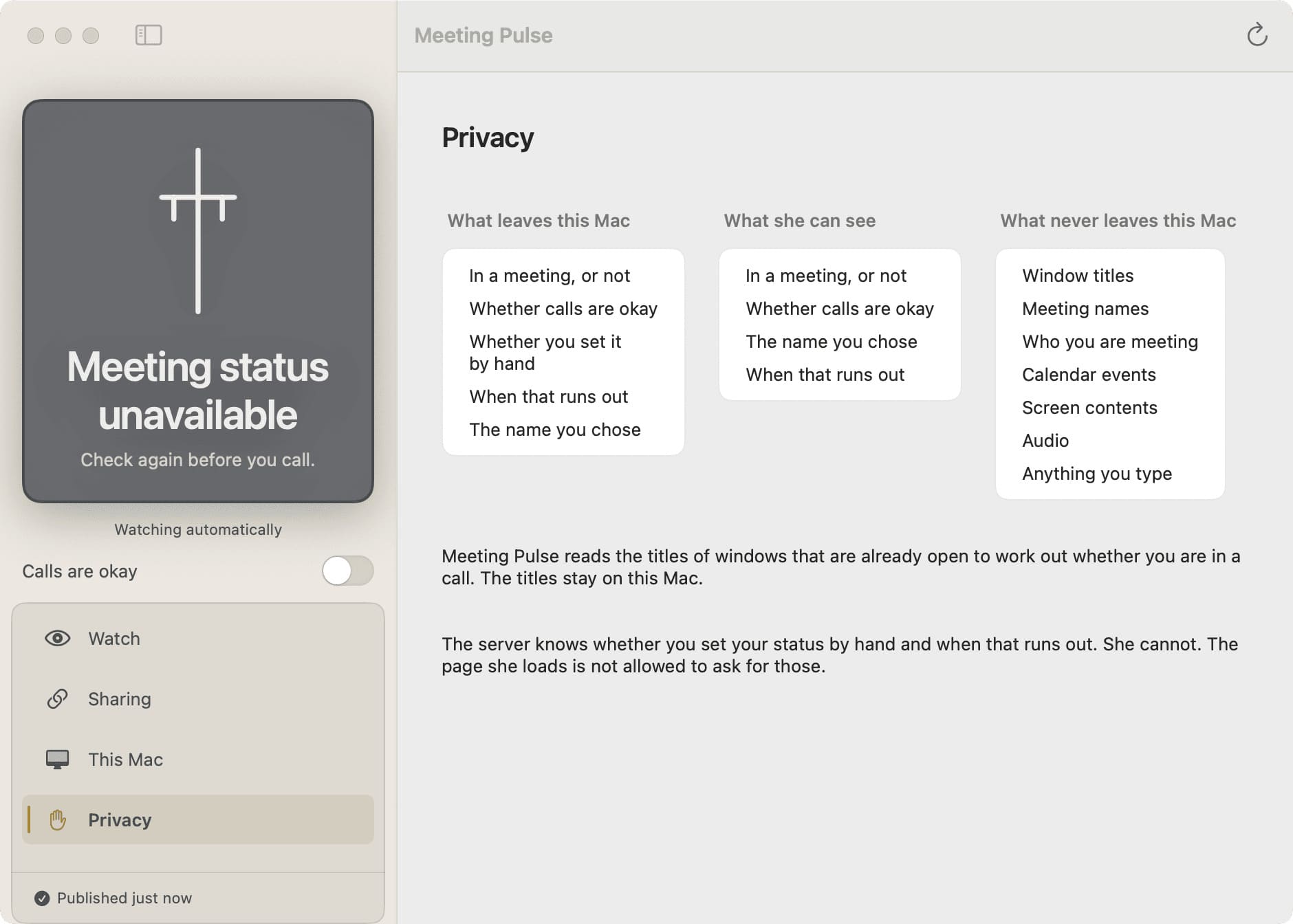
macOS protects Accessibility access because it can expose information on a computer. Meeting Pulse asks for that access for a narrow reason: to detect the supported meeting state the owner wants to share.
Read the repository and the project’s security guidance before installing. If the product changes its data boundary, the public explanation should change with it.
What the viewer can know
Small enough to understand at a glance.
- In a meeting
- In a meeting, but it’s fine to ring through
- Meeting status unavailable
- Not connected